

Why Your AI Outputs Are Bad — And How to Fix Them
🚀 JOIN OUR PRIVATE COMMUNITY: https://saas.sawankr.com/premium-community-access 🚀 GET $1000+ Worth of FREE Courses with GHL Signup
https://www.gohighlevel.com/highlevel-bootcamp?fp_ref=sawan-kumar43 🚀 GET $1000+ Worth of FREE Courses with Shopify Signup https://shopify.pxf.io/Y9JxvP Tired of juggling Google Docs, Gmail, and Sheets all at once?
Still copy-pasting the same information again and again? In this video, you’ll discover how to turn Claude AI into your smartest digital assistant — one that works inside your system, follows instructions, and delivers consistent results without you repeating yourself. We’re diving into the constraints that control quality — the exact way to structure your prompts so Claude gives you accurate, reliable, and high-quality outputs every single time. If you’ve ever felt like AI responses are “hit or miss,” this will fix that. 🚀 What you’ll learn: Why vague prompts give weak results
How constraints improve output quality
Structuring instructions like a pro
Turning AI into a repeatable system
Reducing manual work using smart workflows Once you understand this, you won’t use AI the same way again.
Debugging & Testing Code with Claude AI | Fix Errors Faster Using AI Assistant

🚀 JOIN OUR PRIVATE COMMUNITY: https://saas.sawankr.com/premium-community-access 🚀 GET $1000+ Worth of FREE Courses with GHL Signup
https://www.gohighlevel.com/highlevel-bootcamp?fp_ref=sawan-kumar43 🚀 GET $1000+ Worth of FREE Courses with Shopify Signup https://shopify.pxf.io/Y9JxvP Tired of jumping between Google Docs, Gmail, Sheets, and multiple tabs just to debug or test your code? In this video, discover how Claude AI can act like a smart assistant inside your computer — helping you debug faster, test smarter, and automate repetitive coding tasks with simple instructions. Instead of manually fixing errors line-by-line, you can describe what you need and let Claude help streamline your workflow efficiently. 💡 In this video, you'll learn: How Claude helps identify coding errors quickly
Smarter ways to test your code using AI
How to reduce copy-paste workflow between tools
Using AI like a personal coding assistant
Practical productivity tips for developers & beginners Whether you're a student, beginner programmer, creator, or professional, this walkthrough shows how AI can simplify your everyday technical tasks. 👉 Start working smarter with AI today. #ClaudeAI #AICoding #DebuggingWithAI #ArtificialIntelligence #CodingProductivity
Claude Computer Use Explained 🔥 Let AI Control Your Screen & Do Tasks Automatically

🚀 JOIN OUR PRIVATE COMMUNITY: https://saas.sawankr.com/premium-community-access 🚀 GET $1000+ Worth of FREE Courses with GHL Signup
https://www.gohighlevel.com/highlevel-bootcamp?fp_ref=sawan-kumar43 🚀 GET $1000+ Worth of FREE Courses with Shopify Signup https://shopify.pxf.io/Y9JxvP Meet your AI assistant that can actually control your computer. 🤯 In this video, you’ll discover how Claude Computer Use lets you describe what you want — and the AI handles the steps for you across documents, emails, spreadsheets, and more. No more switching tabs endlessly.
No more copy-pasting between apps.
Just tell Claude what to do… and watch it happen. 💡 Inside this video:
• What Claude Computer Use is
• How it controls your screen safely
• Real workflow examples using Docs, Gmail & Sheets
• How to automate repetitive tasks
• How to set instructions that run automatically If you've ever wished for a smart assistant inside your laptop, this is exactly what you've been waiting for.
What is Claude Code? Why Non-Developers Should Start Using It Today

🚀 JOIN OUR PRIVATE COMMUNITY: https://saas.sawankr.com/premium-community-access 🚀 GET $1000+ Worth of FREE Courses with GHL Signup
https://www.gohighlevel.com/highlevel-bootcamp?fp_ref=sawan-kumar43 🚀 GET $1000+ Worth of FREE Courses with Shopify Signup https://shopify.pxf.io/Y9JxvP Tired of switching between Google Docs, Gmail, spreadsheets, and endless tabs just to finish one task? In this video, you’ll discover how Claude Code can work like a smart assistant inside your computer — helping you automate repetitive work, organize information faster, and get things done with simple instructions. You don’t need to be a developer to use it. If you can describe what you want, you can make Claude help you do it — automatically and consistently. ✨ Inside this video: What Claude Code actually is
Why non-developers should start using it today
How it reduces copy-paste work across apps
How to automate everyday digital tasks
Real-life productivity examples anyone can use Whether you're a student, creator, freelancer, business owner, or working professional — this can completely change how you work on your computer. Start working smarter, not harder. 🚀 Subscribe for more practical AI tutorials that simplify your workflow.
Create Custom Skills in Claude AI (Step-by-Step Guide)

🚀 JOIN OUR PRIVATE COMMUNITY: https://saas.sawankr.com/premium-community-access 🚀 GET $1000+ Worth of FREE Courses with GHL Signup
https://www.gohighlevel.com/highlevel-bootcamp?fp_ref=sawan-kumar43 🚀 GET $1000+ Worth of FREE Courses with Shopify Signup https://shopify.pxf.io/Y9JxvP Want to stop switching between Google Docs, Gmail, and spreadsheets again and again?
In this video, you’ll learn how to create custom skills inside Claude AI so your AI assistant can automate repetitive work for you — exactly the way you want. Instead of copy-pasting across multiple tabs, imagine simply describing a task once and letting Claude handle it automatically every time. That’s what custom skills make possible. 💡 In this video, you’ll learn: What custom skills in Claude AI are
How they work like a built-in assistant inside your system
How to set them up step-by-step
Practical examples to automate everyday workflows
How to save time using scheduled AI actions If you want Claude to work for you instead of just responding to prompts, this video is a must-watch. 🚀 Start building smarter workflows with AI today. #ClaudeAI #AIAutomation #ProductivityWithAI #AIWorkflows #ArtificialIntelligence
Your only complete Claude AI Masterclass (Beginners to Pro) in 3 hours (FREE)
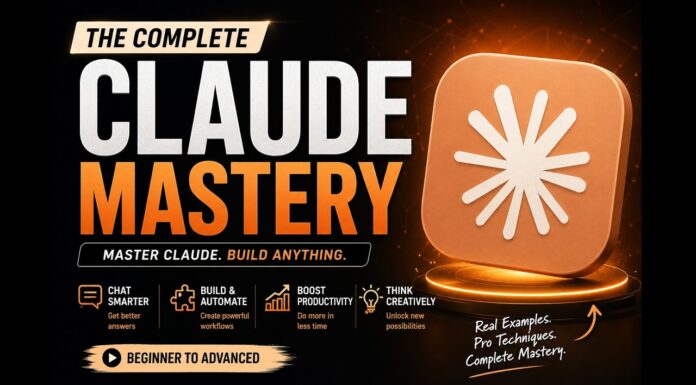
Your only complete Claude AI Masterclass (Beginners to Pro) in 3 hours (FREE)
Claude AI Co-Work Deep Dive | Automate Tasks Like a Smart Assistant Inside Your Computer
🚀 JOIN OUR PRIVATE COMMUNITY: https://saas.sawankr.com/premium-community-access 🚀 GET $1000+ Worth of FREE Courses with GHL Signup
https://www.gohighlevel.com/highlevel-bootcamp?fp_ref=sawan-kumar43 🚀 GET $1000+ Worth of FREE Courses with Shopify Signup https://shopify.pxf.io/Y9JxvP Discover how Claude AI’s Co-work feature can act like a smart assistant inside your computer — helping you manage documents, emails, spreadsheets, and repetitive workflows automatically. In this session, you’ll learn how to stop switching between multiple tabs and start automating tasks by simply describing what you want Claude to do. From organizing information to scheduling actions, this walkthrough shows how AI can transform your daily productivity. If you’re working with Google Docs, Gmail, Sheets, or research workflows, this will change how you handle tasks forever. 💡 What you’ll learn in this video: How Claude works like a virtual assistant on your system
Managing multiple tabs and workflows smarter
Automating repetitive tasks using simple instructions
Setting scheduled AI actions that run automatically
Practical productivity use cases you can apply immediately Whether you're a creator, professional, student, or business owner — this is a powerful step toward working faster with AI. 👉 Stay tuned for more deep-dive sessions on Claude AI workflows and automation strategies.
Automate Multi-Tab Workflows with Claude AI | Record Actions Once & Save Hours Daily

🚀 JOIN OUR PRIVATE COMMUNITY: https://saas.sawankr.com/premium-community-access 🚀 GET $1000+ Worth of FREE Courses with GHL Signup
https://www.gohighlevel.com/highlevel-bootcamp?fp_ref=sawan-kumar43 🚀 GET $1000+ Worth of FREE Courses with Shopify Signup https://shopify.pxf.io/Y9JxvP Tired of switching between Google Docs, Gmail, and Sheets again and again just to copy-paste information? 😵💫 In this video, you’ll learn how to use Claude AI to handle multi-tab workflows automatically — like having a smart assistant inside your computer that follows your instructions and completes repetitive tasks for you. You’ll discover how to:
✔️ Manage workflows across multiple tabs
✔️ Record common actions once and reuse them
✔️ Automate repetitive daily tasks
✔️ Save hours of manual effort every week
✔️ Turn simple instructions into powerful automation Imagine just describing what you want… setting it once… and letting it run automatically every time. That’s the power of Claude AI. Whether you're a student, creator, freelancer, or business owner, this workflow approach can dramatically improve productivity. 👉 Watch till the end to see how simple automation can change the way you work every day. Subscribe for more practical AI workflow strategies and productivity tutorials 🚀
Outcome First Prompt Framework | Make Claude AI Work Like Your Personal Assistant
🚀 JOIN OUR PRIVATE COMMUNITY: https://saas.sawankr.com/premium-community-access 🚀 GET $1000+ Worth of FREE Courses with GHL Signup
https://www.gohighlevel.com/highlevel-bootcamp?fp_ref=sawan-kumar43 🚀 GET $1000+ Worth of FREE Courses with Shopify Signup https://shopify.pxf.io/Y9JxvP Struggling with juggling multiple tabs, documents, emails, and spreadsheets all at once? In this video, you’ll learn the Outcome First Prompt Framework — a simple yet powerful way to turn Claude into your personal AI assistant that works exactly the way you want. Instead of giving long instructions, you’ll learn how to:
✔ Tell Claude the result you want
✔ Structure prompts clearly
✔ Automating repetitive workflows
✔ Save hours every week
✔ Make AI respond smarter and faster Imagine describing a task once… and having it happen automatically every time. This framework changes how you work with AI. If you want Claude to become your most efficient digital assistant, this video is for you.
Claude Code for Developers | Automate Workflows with Claude AI

🚀 JOIN OUR PRIVATE COMMUNITY: https://saas.sawankr.com/premium-community-access 🚀 GET $1000+ Worth of FREE Courses with GHL Signup
https://www.gohighlevel.com/highlevel-bootcamp?fp_ref=sawan-kumar43 🚀 GET $1000+ Worth of FREE Courses with Shopify Signup https://shopify.pxf.io/Y9JxvP Meet your AI assistant that can actually write, automate, and execute workflows inside your system. In this video, Saban Kumar explains how developers can use Claude AI to eliminate repetitive work like switching between tabs, copying data across tools, and manually managing workflows. Imagine describing what you want once…
and your system handles it automatically — every time. Inside this session, you’ll learn: How Claude helps developers automate daily tasks
How to reduce tab-switching and manual copy-pasting
How to use Claude for structured workflow execution
How to set instructions that run reliably again and again
How AI can function like a smart assistant inside your computer If you're a developer, founder, freelancer, or productivity enthusiast — this will completely change how you work with AI. Start working faster, cleaner, and smarter with Claude. Subscribe for more practical AI implementation strategies.
About Me

I'm Sawan Kumar — I started my journey as a Chartered Accountant and evolved into a Techpreneur, Coach, and creator of the MADE EASY™ Framework.


